


Open Transaction WE30
In the SAP Easy Access screen, enter
WE30and press Enter.
Choose Development Object
You’ll see options like:
Basic type
Extension
IDoc type documentation
Select Basic type.
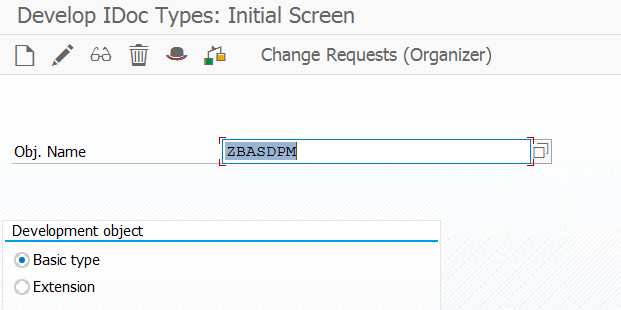
Enter a Name for the Basic Type
Enter a name for your new Basic Type.
👉 Convention: Start with Z or Y (for custom objects).
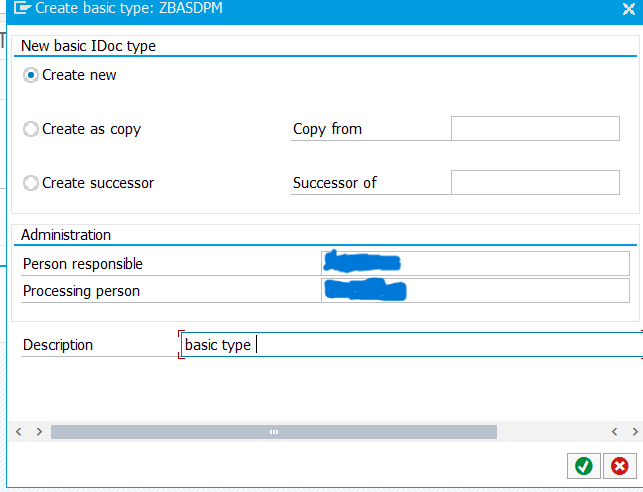
Click the “Create” Button
A pop-up will appear asking for the development class (package).
If it’s for testing only, choose $TMP (local object, not transportable).
Define the Attributes
Give a short description of the Basic Type.
Save.
Add Segments
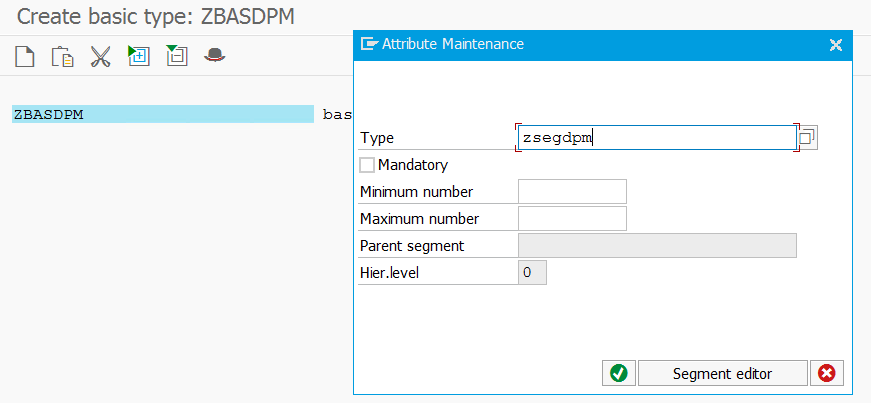
You’ll be taken to a screen where you can assign segments.
To add:
Click Edit → Create Segment.
Enter an existing segment (created in
WE31) or create a new one.
Assign the minimum and maximum occurrence (e.g.,
1for mandatory,0..999for optional, repeatable).Build your hierarchy (parent/child segments).
Save and Activate
After assigning all segments, save.
Then click Edit → Set Release to release the Basic Type.
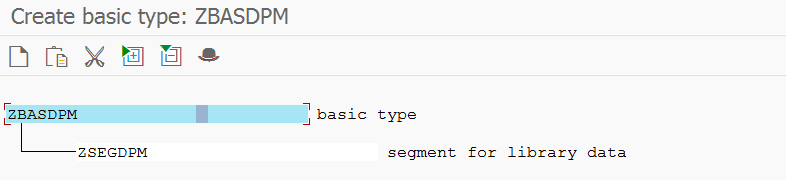
In this way you can create a basic type and add the segment to it.