


-
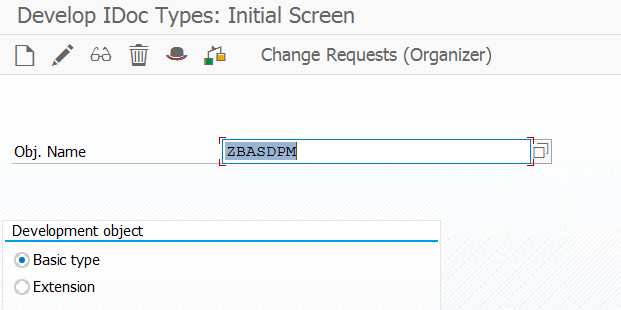
Open Transaction WE30
-
In the SAP Easy Access screen, enter
WE30and press Enter.
-
-
Choose Development Object
-
You’ll see options like:
-
Basic type
-
Extension
-
IDoc type documentation
-
-
Select Basic type.
-
-
Enter a Name for the Basic Type
-
Enter a name for your new Basic Type.
👉 Convention: Start with Z or Y (for custom objects).
-
-
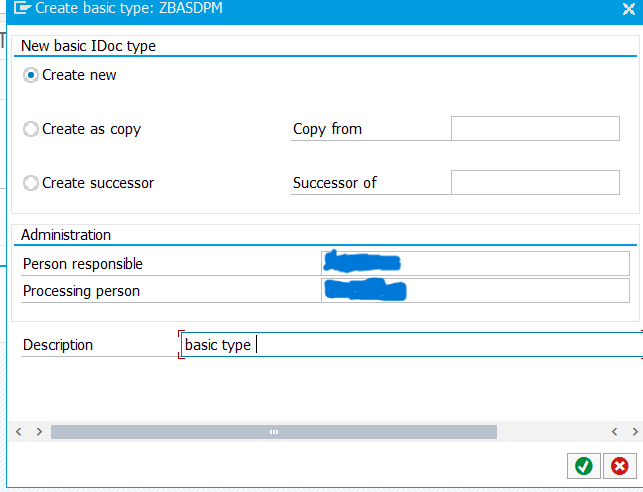
Click the “Create” Button
-
A pop-up will appear asking for the development class (package).
-
If it’s for testing only, choose $TMP (local object, not transportable).
-
-
Define the Attributes
-
Give a short description of the Basic Type.
-
Save.
-
-
Add Segments
-
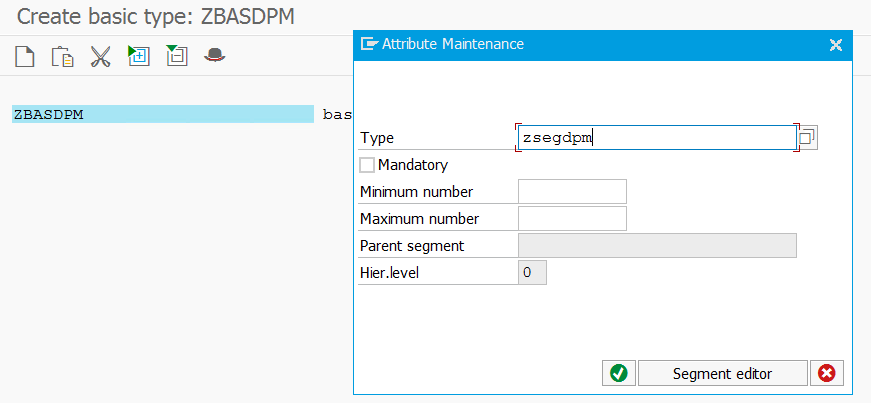
You’ll be taken to a screen where you can assign segments.
-
To add:
-
Click Edit → Create Segment.
-
Enter an existing segment (created in
WE31) or create a new one.
-
-
Assign the minimum and maximum occurrence (e.g.,
1for mandatory,0..999for optional, repeatable). -
Build your hierarchy (parent/child segments).
-
-
Save and Activate
-
After assigning all segments, save.
-
Then click Edit → Set Release to release the Basic Type.
-
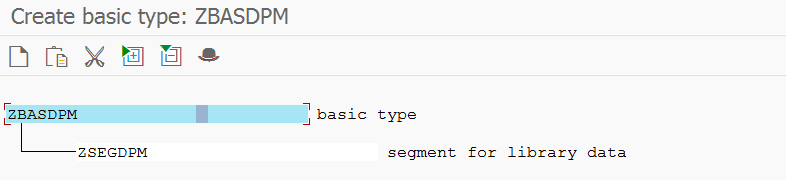
In this way you can create a basic type and add the segment to it.